Precision tape studio
Scope turret workshop
Custom scope turret labels
made to fit your turret
Create a custom ballistic turret tape from your verified distance-to-click data. Choose MOA, MIL or MRAD and download accurately sized PDF pages in one ZIP file for your exact scope.
⊕Exact click spacing▤PDF at 100%↔MOA · MIL · MRAD
First-use guide
Measure once. Build the right label first time.
Follow these five checks before downloading your first ZIP file. The guide never changes your measurements or editor values.
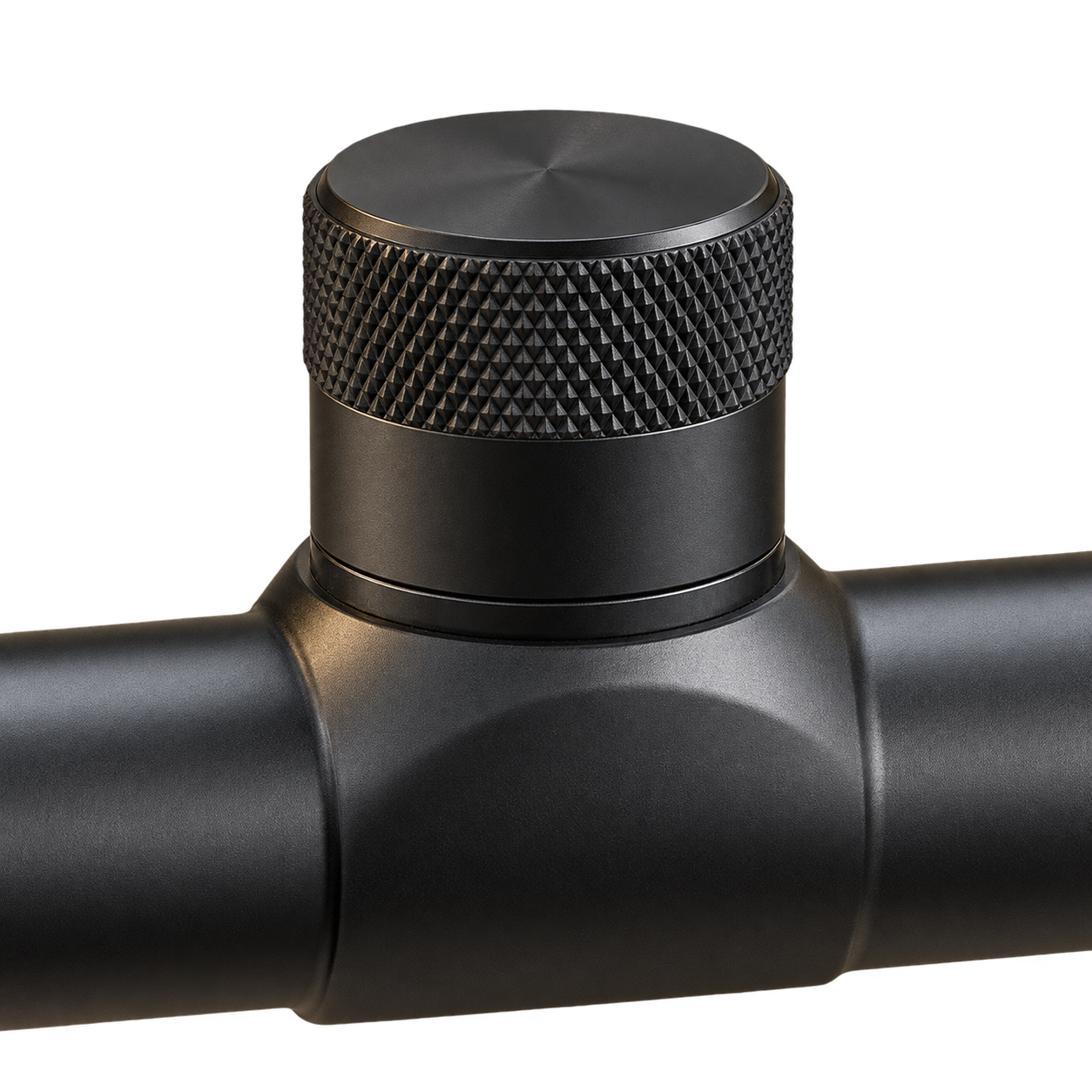
- 1Measure around the smooth label band with a narrow, non-stretch Paper strip.
- 2Mark where the Paper meets itself, lay it flat and measure between the marks in mm.
- 3Enter counted clicks or the MOA, MIL or MRAD specified for one complete revolution.
- 4Enter verified distance-to-click data from zero and check the live label.
- 5Download and extract the ZIP file; print each A4 PDF separately at Actual size / 100% with Orientation Auto; verify the 50 mm check line.
Wrap circumferenceHow to measure with Paper
Live output
PDF-ready turret label
100.53 mmExact entered circumference1.68 mmPer click9PDF fit options
▲ TOP INDEX
Ballistic distance tape · exact proportions¼ MOA · distances in mA4 · 9 fine-fit labels
FIT 1/9 · ORIGINAL · EXACT MEASUREMENT · SCALE 100.53 mm · LABEL 105.53 × 12 mm
FIT 2/9 · FINE FIT −0.2% · SCALE 100.33 mm · LABEL 105.33 × 12 mm
FIT 3/9 · SCALE −0.4% · SCALE 100.13 mm · LABEL 105.13 × 12 mm
FIT 4/9 · SCALE −0.8% · SCALE 99.73 mm · LABEL 104.73 × 12 mm
FIT 5/9 · SCALE −1.2% · SCALE 99.32 mm · LABEL 104.32 × 12 mm
FIT 6/9 · SCALE −1.6% · SCALE 98.92 mm · LABEL 103.92 × 12 mm
FIT 7/9 · SCALE −2.0% · SCALE 98.52 mm · LABEL 103.52 × 12 mm
FIT 8/9 · SCALE +0.2% · SCALE 100.73 mm · LABEL 105.73 × 12 mm
FIT 9/9 · SCALE +0.4% · SCALE 100.93 mm · LABEL 105.93 × 12 mm
105.53 × 12 mm exact PDF size
Extract the ZIP file, then print each A4 PDF separately using Actual size / 100% and Orientation Auto (recommended). Do not force Portrait or Landscape. Confirm the included 50 mm line before cutting.
Saved setups stay read-only. Use Duplicate as new draft in My Account to edit a separate copy.
Checking your account…
Label Estimated Fit Form
Find a practical starting fit label
Enter the finished Paper thickness used for label printing and a separate turret circumference. This form never changes the label editor, measurements, saved setups or fingerprints.
Workshop reference: at 119 mm circumference, 0.50 mm Paper matched Original and 0.10 mm Paper matched near −0.8% to −0.9%.
Website reference onlyThis calculator does not add anything to, resize or otherwise change any PDF. It also never changes editor measurements, saved setups or fingerprints.
Enter both estimator values
You will receive up to three nearby fit labels to try as starting references.
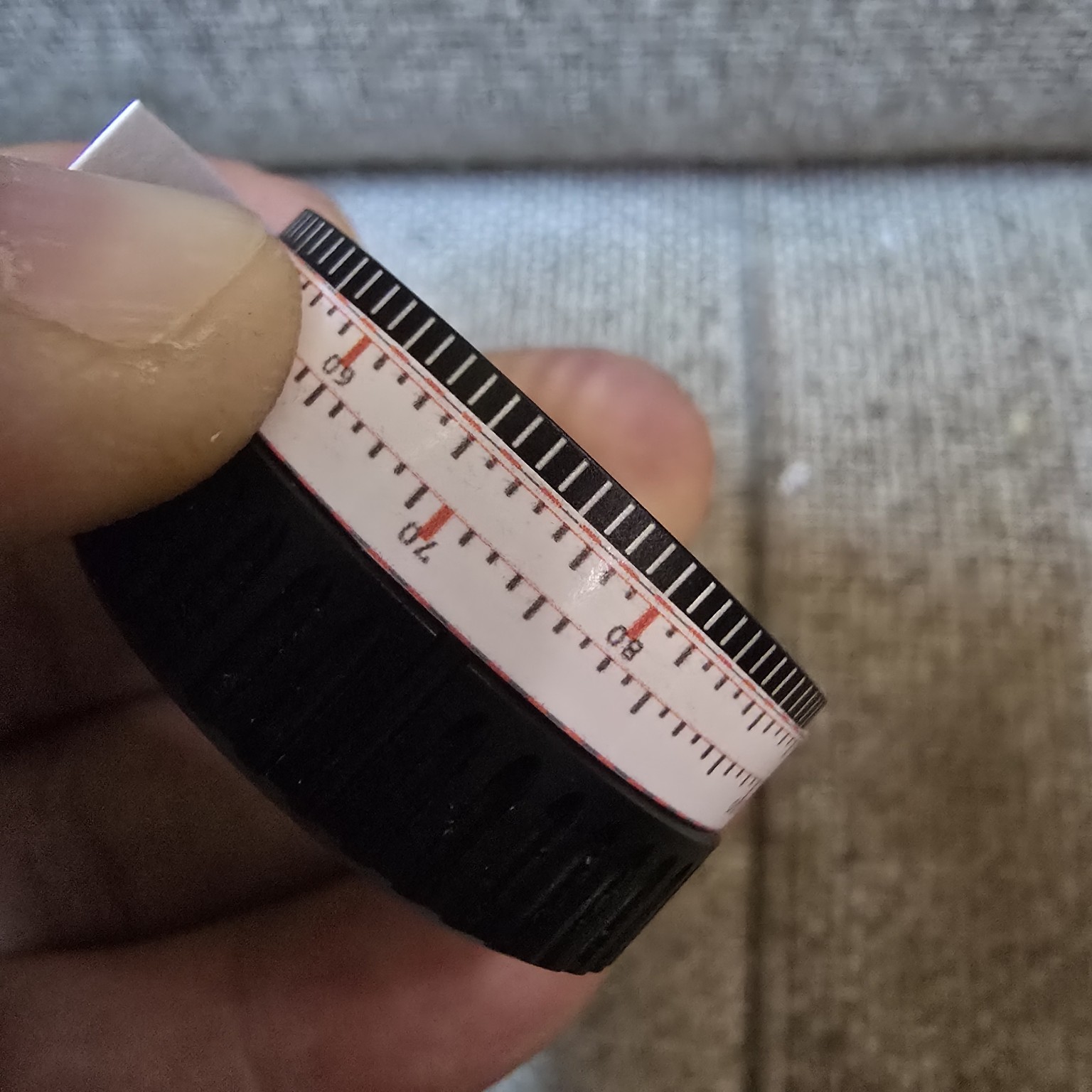 Real fit check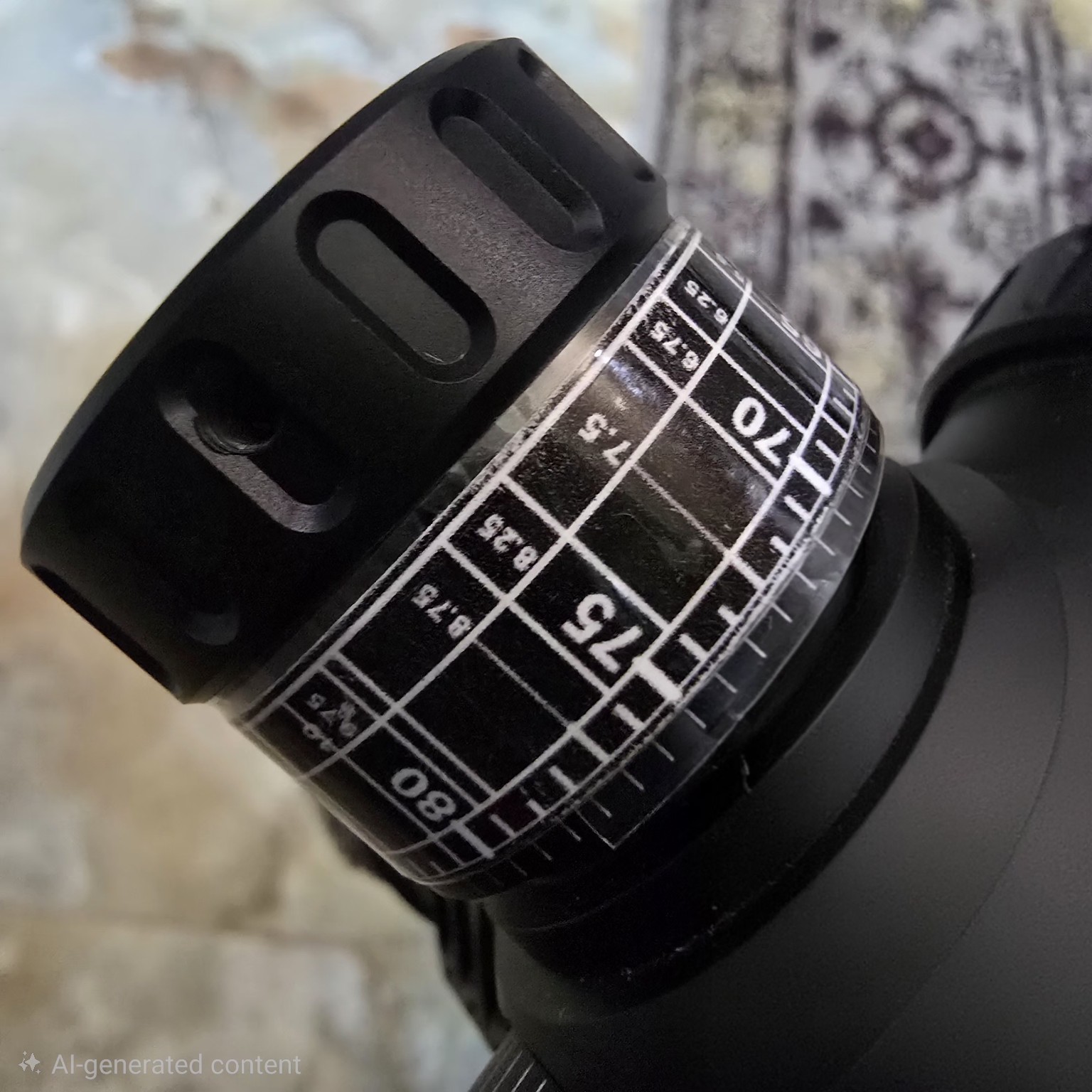
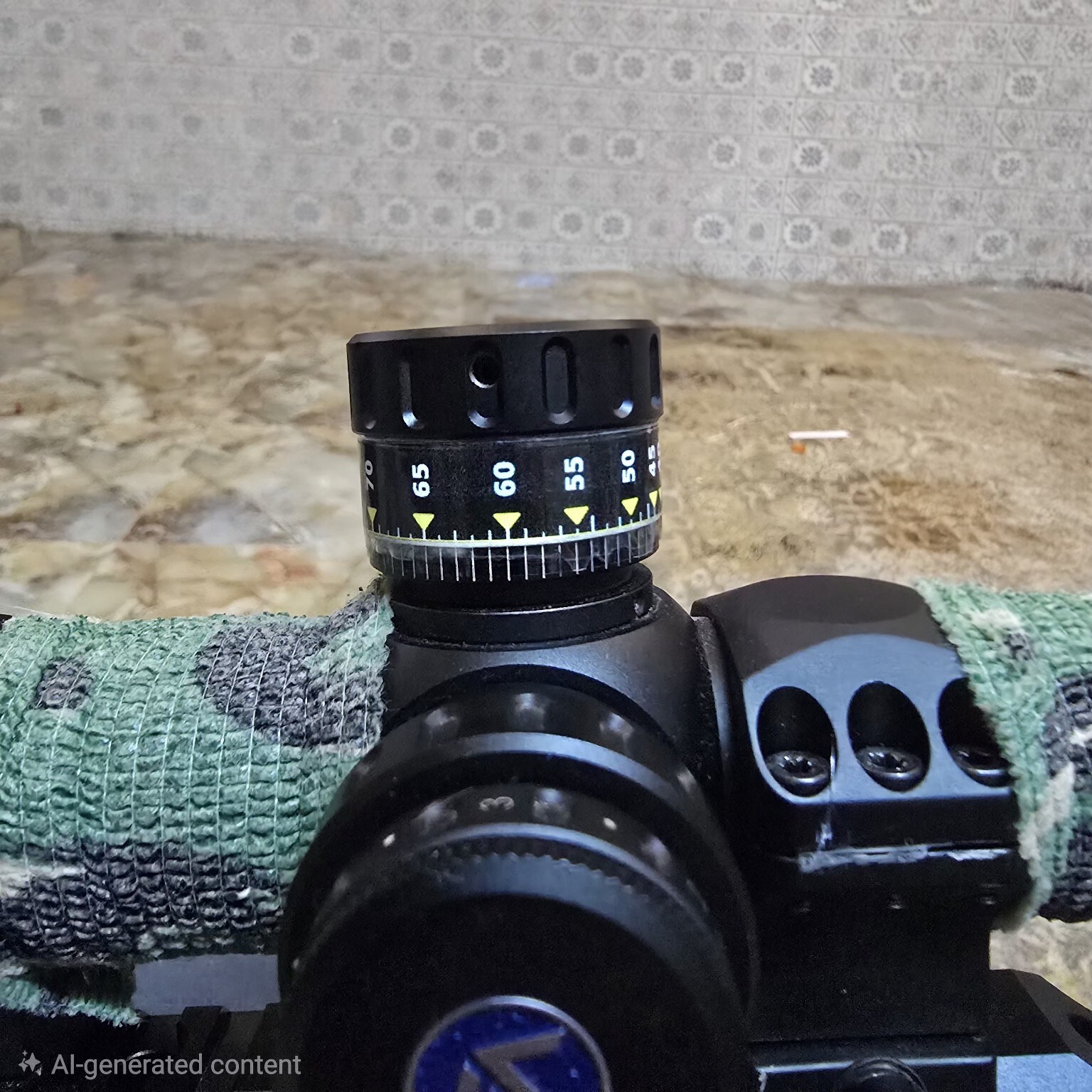
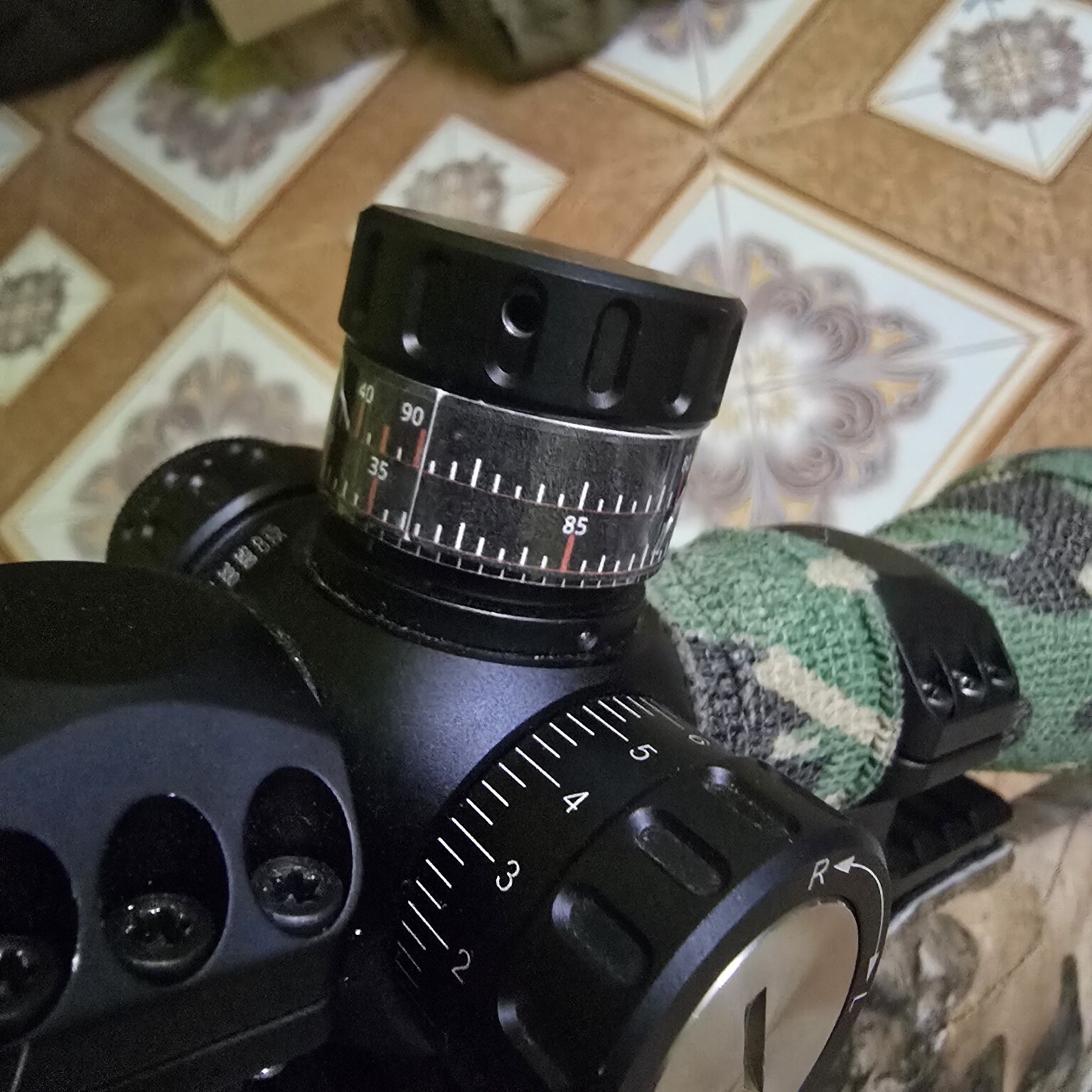
Workshop-verified fit
Real alignment, checked against factory marks
This user-supplied workshop photo shows a printed turret label aligned directly with the scope's factory tick marks. In this 119 mm circumference test, 0.5 mm material (Paper) matched the Original scale.
This example demonstrates the verification method, not a universal setting. Measure and test your own turret, adhesive and laminate.
Custom ballistic turret tape
Make a precise scope turret label from your own click data
Turret Label Maker converts the distance and total-click values you have verified for your rifle and ammunition into a precise elevation tape. Enter the real measured circumference of your turret, select its adjustment unit and direction, then download the exact Original, six negative and two positive fit presets, plus up to three optional custom fits, as separate A4 PDF pages in one ZIP file.
MOA, MIL and MRAD labels
Use common click values such as ¼ MOA or 0.1 MIL, or enter a custom adjustment value that matches your scope.
Multi-turn turret scales
Keep longer-distance values readable with separate revolution tapes or a combined T1, T2 and T3 label.
Accurate PDF sizing
Measure the turret directly around its label band, add optional seam overlap without distorting click spacing, and print each A4 PDF separately at Actual size / 100% with Orientation Auto.
Printable DOPE range cards
Saved profiles can generate compact 90 × 35 mm rifle range cards from your verified distance-to-click data. The scope DOPE card is a printable reference, not a ballistic calculator.
Scope-Cap DOPE inserts
Saved profiles can also generate exact-size circular Scope-Cap DOPE inserts in light and dark versions. The temporary cap diameter is used only for that ZIP and never changes your profile or production labels.
Reticle holdover references
Saved profiles can generate matching-unit MOA, MIL or MRAD elevation holdover references from exact total-click data. They include no horizontal correction and do not change the label designer or production PDFs.
Scope turret label FAQ
Questions before you make and print a label
Clear answers about measuring, click units, true-size printing, fit labels, multi-turn data and saved scope profiles.
How do I measure my scope turret for a label?
Wrap a narrow, non-stretch Paper strip once around the smooth label band. Mark where it meets itself, flatten it, and measure between the marks in mm. Enter that exact wrap circumference.
Which scope turret adjustment units are supported?
MOA, MIL and MRAD are supported with common click presets or a custom click value, plus clockwise or counter-clockwise numbering.
How do I print a turret label at the correct size?
Download and extract the ZIP file, print each A4 PDF separately at Actual size / 100% with Orientation Auto, and measure its included 50 mm check line. Do not use Fit to page, forced Portrait/Landscape or scaling.
What do Original and the other fit labels mean?
Original uses your exact entered circumference. The other fit labels are physical comparisons for Paper thickness, adhesive, laminate, mounting diameter and wrapping. The separate website estimator is for reference only and never changes any PDF.
Can Turret Label Maker handle multi-turn turret data?
Yes. Enter total clicks from zero. Use separate revolution labels for any turn, or the combined T1, T2 and T3 layout when your data stays within three turns.
Can I edit a saved scope profile?
Saved profiles are immutable and read-only. You can download a ZIP of separate PDF pages made from the exact revalidated saved profile or delete it, but current editor values never replace its saved values.